
PUNOVIX Blog
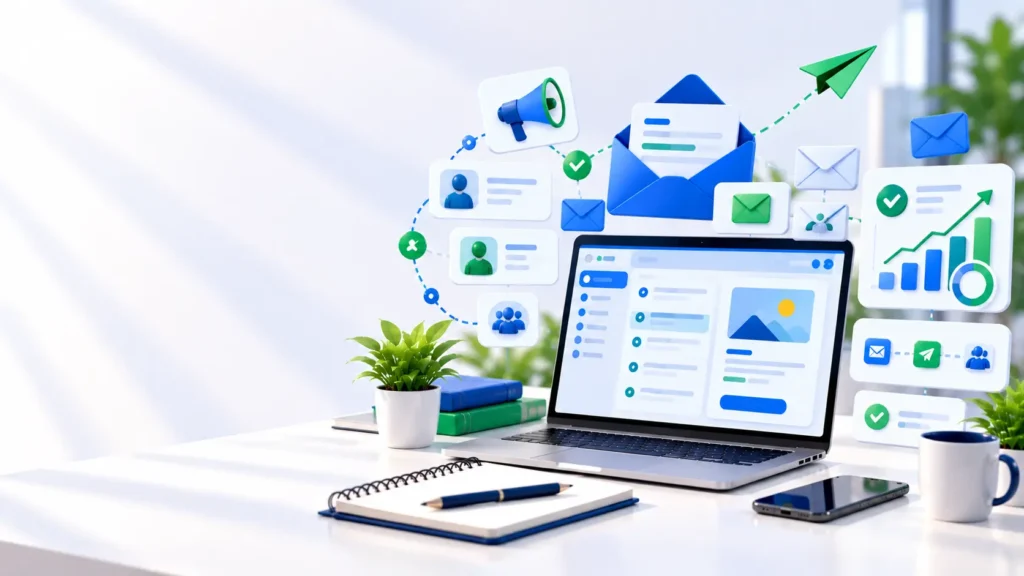
Email can give a small business a direct way to share useful information with people who have chosen to hear from it. It can support product announcements, helpful tips, service updates, event invitations, and follow-up after a purchase. Unlike a social post, an email arrives in a subscriber’s inbox, although delivery and attention are never guaranteed.
For many owners, email marketing for small businesses sounds complicated because they imagine advanced automation, large mailing lists, and expensive software. A more realistic starting point is simple: invite interested people to subscribe, send relevant messages, make it easy to opt out, and learn from the results. You can improve the system as the business grows.
This beginner’s guide explains how to build a permission-based list, choose a tool, plan useful campaigns, write clearer emails, measure results, and avoid common mistakes. It focuses on practical decisions a small business can make without needing a dedicated marketing team.
What Is Email Marketing?
Email marketing is the use of email to communicate with customers and people who have opted in to receive updates from a business. Depending on the purpose, messages may educate subscribers, explain a product, announce a new service, share a newsletter, invite people to an event, or help existing customers make better use of a purchase.
It works best when the message matches the subscriber’s reason for signing up. Someone who requested a guide may appreciate practical educational emails; a returning customer may value product updates or relevant service information. The aim is not to send as many messages as possible. It is to deliver something useful at a reasonable frequency.
Email is one part of a broader digital marketing plan. A website can explain the offer, search engine optimisation can help people discover relevant pages, social media can distribute content, and email can keep a connection with people who have opted in. PUNOVIX’s Digital Marketing for Beginners guide explains how these channels can work together.
For many owners, email marketing for small businesses becomes easier to manage when the audience, message, and campaign goal are clear from the beginning.
Benefits of Email Marketing for Small Businesses
The benefits of email marketing for small businesses depend on the audience, the message, and the consistency of the process. Email is not automatically profitable, but it can be a useful channel when a business has something relevant to communicate and a clear purpose for each campaign.
Direct communication with subscribers
Email gives you a channel to communicate with people who have chosen to receive your messages. You do not need to rely solely on social media reach or the timing of a public post. However, delivery into an inbox does not guarantee that a recipient will open, read, or act on a message.
Helpful information can build trust
A local service provider might send seasonal maintenance tips, a shop could explain how to use a product, and a consultant might share a short checklist related to a common customer problem. Useful communication gives subscribers a reason to remain interested beyond occasional sales announcements.
Support for repeat business
When customers have a positive experience, relevant product care tips, service reminders, or complementary offers may help them return. These messages should reflect the customer’s preferences and the relationship, not simply repeat generic promotions to everyone.
Measurable campaign activity
Email platforms can provide data about delivery, clicks, unsubscribes, conversions, and other events. These measures can help a business compare campaign performance and decide what to test next. Results need context: a high click rate is not automatically valuable if the clicks do not support the business objective.
Step 1: Define a Clear Goal Before Sending
Every campaign should have a primary purpose. Without a goal, it becomes difficult to decide what to write, which link to include, or whether the campaign helped.
Common goals include:
Welcoming new subscribers and explaining what they signed up for.
Sharing useful educational content related to your product or service.
Announcing a launch, event, or seasonal offer.
Helping customers understand or use a product after purchase.
Encouraging a relevant next action, such as booking a consultation or viewing a useful resource.
Choose one main call to action for each email. If the goal is to invite people to a workshop, make the registration link easy to identify. If the goal is to share a guide, give the guide the main attention rather than adding several competing offers.
For email marketing for small business owners, a simple goal is often more useful than a complicated funnel. For example, a local bakery might invite customers to subscribe for product updates and occasional seasonal menus. The first campaign could share the current menu and link to opening hours, rather than attempting to sell several unrelated products in one message.
Step 2: Build a Permission-Based Email List
A list should represent people who expect to receive your messages. Use a clear sign-up form on your website, at checkout, at an event, or in another appropriate customer interaction. Explain what subscribers will receive and, when practical, how often you plan to email them.
Avoid buying random email lists or adding addresses simply because someone once gave you a business card. Unwanted messages can damage trust, increase spam complaints, and create compliance risks. Applicable requirements can vary by country and message type, so learn the rules that apply to your audience and business.
A good sign-up form is short and clear. Ask only for details you genuinely need. If a first name helps with optional personalisation, it may be useful; collecting extensive personal information without a reason adds friction and responsibility.
Make the subscription expectations clear
Tell people the kind of messages they are signing up for, such as a monthly newsletter, product announcements, or practical tips. Do not disguise marketing messages as something else or imply that a subscription is required when it is not. Store subscriber records responsibly and limit access to people who need them.
Make unsubscribing easy
A visible, working unsubscribe option is part of a respectful email programme. Remove unsubscribed addresses from marketing sends, and do not make the process unnecessarily difficult. Google’s Email Sender Guidelines recommend that senders make it easy to subscribe and unsubscribe, use email authentication, and avoid unwanted messages. Bulk-sender requirements can differ from those for low-volume senders, so check the current official requirements that apply to your sending volume.
For legal background, the U.S. Federal Trade Commission’s CAN-SPAM compliance guide explains requirements for commercial email under U.S. law, including accurate sender information and opt-out handling. It is U.S.-specific guidance, not a substitute for understanding the rules in other countries.
Step 3: Choose an Email Marketing Platform
You do not need to choose software based on the longest feature list. Compare the tools against the size of your audience, the way you plan to send, and the tasks you actually need to complete. Many email marketing tools for small businesses include contact management, templates, signup forms, reporting, and some level of automation, but features and limits vary by plan.
What to look for in a tool
Easy email editor: Can you create a readable email without needing to code?
List and consent management: Can you keep track of subscriber status and handle opt-outs properly?
Segmentation: Can you send different messages to meaningful groups instead of broadcasting every offer to everyone?
Automation: Can the platform send a welcome message or other planned series when the right event occurs?
Reporting: Can you review clicks, unsubscribes, conversions, and delivery-related information?
Integrations: Does it connect to the website, shop, booking system, or customer database you already use?
Cost and limits: How do prices change as the contact list and sending volume grow? Which features are excluded from the lower plan?
Data export and support: Can you export your data and get help if you need to migrate or fix a sending problem?
Examples to compare
Use these providers as a shortlist to investigate, not as a ranking. Their feature pages describe different combinations of campaign creation, list management, automation, and related marketing tools. Check the live plan pages before choosing because availability and limits can change.
| Platform | Worth evaluating for | What to check before choosing |
|---|---|---|
| Mailchimp | Campaign creation, audience segmentation, reporting, and automated journeys | Contact-based pricing, sending limits, and which automation features are included in the chosen plan |
| Brevo | Email campaigns, contact targeting, and a broader set of messaging channels | Daily or monthly sending limits, extra-channel costs, and which integrations suit your workflow |
| MailerLite | Newsletter editing, signup forms, landing pages, and email automation | Subscriber limits, automation availability, support, and whether its site or landing-page features are useful to you |
When comparing the best email marketing tools for small businesses, focus on the features your team will actually use rather than choosing a platform with the longest feature list.
These descriptions summarise the providers’ own feature pages; they are not independent performance rankings. Before paying, check current pricing, contact-based limits, monthly sending caps, automation availability, form options, data-export options, and whether the plan meets your support needs. Trial or free tiers can change, and advanced features may require a paid plan. Do not select a platform based only on a headline claim or promotional comparison.
The best email marketing tools for small businesses are the ones that fit the workflow and budget you can maintain. If you send only a small monthly newsletter, a simple platform may be enough. If you need ecommerce triggers, multiple segments, or integration with a CRM, compare those requirements directly. A suitable platform should make the recurring process easier, not encourage you to build complex automation you do not need.
Step 4: Plan Useful Email Content
A newsletter should be more than a series of promotions. Plan content around the questions your customers ask, the problems your product helps solve, and the information they need before or after making a purchase.
A small service business might use three recurring themes: helpful advice, customer education, and occasional service news. An online shop might share product guides, care instructions, restock announcements, and relevant offers. Keep the content aligned with what people expected when they subscribed.
Use a simple calendar that records the planned topic, audience, primary goal, subject line, main link, planned date, and review status. This reduces last-minute writing and helps you see whether every email is trying to accomplish a different task or simply repeating the same message.
Write subject lines that match the email
The subject line should accurately describe the message. Be specific enough to give readers a reason to open, but do not use misleading urgency, false “Re:” or “Fwd:” labels, or claims the email cannot support. The preview text can add context rather than repeat the subject.
Keep the message focused
Use short paragraphs, descriptive headings where helpful, and a visible main action. Put essential information near the beginning. Check the email on a phone as well as a desktop screen. Make links clear and buttons easy to tap, and provide a plain-text alternative if your platform supports it.
Step 5: Segment Your Audience Thoughtfully
Segmentation means grouping subscribers using relevant criteria so that the content is more useful to each group. Depending on the business, groups might reflect customer type, product interest, location, purchase history, or the type of updates requested during sign-up.
Email marketing tools for small businesses are most useful when subscriber groups reflect relevant interests, preferences, and customer needs.
For example, an online store may send product care advice to recent buyers and a different introductory sequence to new subscribers who have not purchased. A local service company might send different updates to business customers and residential customers if their needs differ.
Do not collect more data than you need or make sensitive assumptions about people. Start with a small number of meaningful groups. Over-segmenting a tiny list can create unnecessary work and may not improve the experience. Mailchimp’s email segmentation guide describes how grouping subscribers by relevant characteristics or behaviour can help tailor campaigns.
Email marketing tools for small businesses can make segmentation easier when the list and rules are set up well. Yet no platform can compensate for unclear criteria. Define the reason for each segment, the messages its members should receive, and how you will know whether the segment remains useful.
Step 6: Set Up a Simple Welcome Sequence
A welcome email is a useful first automation because it responds to a clear event: someone has subscribed. It can confirm the subscription, thank the person, explain the type of content they will receive, and deliver the resource or information promised on the signup form.
A small welcome sequence might include:
Immediately: Confirm the subscription and deliver the promised information.
A few days later: Share a genuinely useful tip or resource related to the subscriber’s interest.
Later, if relevant: Explain a service, product, or next step that fits the original reason for signing up.
Keep each message useful and avoid an excessive frequency, especially for a new list. Review the sequence to make sure links still work and the content remains accurate. If the subscriber’s preferences change or they unsubscribe, the workflow should respect that status.
As you grow, you might test a post-purchase education sequence, event reminders, or a re-engagement message for inactive subscribers. Add automation only when the customer experience and business purpose are clear.
Step 7: Measure Results and Improve One Thing at a Time
The right metrics depend on the campaign goal. A newsletter intended to send readers to a guide should be evaluated differently from an email intended to generate a booking. Avoid using one number as the only sign of success.
The benefits of email marketing for small businesses are easier to assess when each campaign has a clear goal and measurable outcome.
| Metric | What it helps you understand | What to check next |
|---|---|---|
| Delivery and bounce rate | Whether messages are reaching valid addresses | List quality and sender setup |
| Clicks and click-through rate | Whether people are using the links | Relevance, placement, and clarity of the main action |
| Conversions or enquiries | Whether the campaign supports the business goal | Landing page, offer, and measurement setup |
| Unsubscribes | Whether people choose to stop receiving messages | Frequency, relevance, and signup expectations |
| Spam complaints | Whether recipients perceive messages as unwanted | Permission, targeting, list sources, and sending practices |
| Revenue or repeat purchases | Whether the campaign contributes to business value | Attribution, margin, and customer context |
Open-rate data may be affected by privacy features and measurement limitations, so interpret it carefully. If clicks are low, review the relevance of the content and the visibility of the link. If clicks are strong but enquiries are weak, investigate the landing page, offer, audience fit, and tracking before changing the email alone.
Test one meaningful variable at a time, such as the subject line, main call to action, or message structure. Give the test enough time and volume to offer useful information; small lists may not produce conclusive results. Keep a record of what changed and what happened so decisions are not based only on memory.
Step 8: Protect Deliverability and Subscriber Trust
Email deliverability is influenced by multiple factors, including recipient engagement, list quality, sender reputation, technical authentication, and message practices. No provider can guarantee that every message will reach the inbox.
If you send from a business domain, learn how SPF, DKIM, and DMARC work and follow your email platform’s setup instructions. Google recommends SPF or DKIM for all senders and SPF, DKIM, and DMARC for bulk senders to Gmail; unauthenticated messages may be rejected or marked as spam. See the official Gmail sender guidance before launching a campaign at scale.
Use accurate “From” information, avoid deceptive subject lines, and send to people who expect your messages. Remove hard bounces and respect opt-outs. Do not repeatedly email inactive contacts without a reason to believe they still want the content. Keep account access secure and review any third-party service that handles subscriber data.
For small business owners, the best long-term approach is to treat the subscriber list as a relationship, not just a marketing asset. A smaller group of interested subscribers can be more useful than a larger list of people who never asked to hear from you.
Common Email Marketing Mistakes to Avoid
Buying or scraping a list. Addresses gathered without appropriate permission or context can lead to complaints, poor performance, and compliance issues. Build your list through clear, legitimate signup methods.
Sending every offer to everyone. If a message is irrelevant, people may ignore it or unsubscribe. Use preferences and sensible segmentation where it makes the experience more useful.
Ignoring mobile readability. Long paragraphs, tiny text, and tightly packed buttons make messages harder to use. Preview each campaign on mobile before sending.
Making unsupported claims. Do not promise results, discounts, or deadlines that are not genuine. Keep subject lines, offers, and landing-page content consistent.
Tracking only vanity metrics. Opens or clicks can be useful clues, but connect measurement to enquiries, purchases, registrations, retention, or another clear business objective.
Forgetting the next step. If the reader should book, read, register, or reply, explain that action clearly. A campaign with too many competing links can make the main point difficult to find.
A Simple 30-Day Starter Plan
Week 1 — Set the foundation. Choose a clear objective, decide what type of updates you will send, write a simple signup message, and choose a platform based on your practical needs.
Week 2 — Build the welcome experience. Prepare a useful first email, test the signup form, verify links, and confirm that subscribers can unsubscribe easily.
Week 3 — Send one useful campaign. Share a tip, resource, update, or relevant offer aligned with subscriber expectations. Check the email on mobile and proofread all links before sending.
Week 4 — Review and improve. Review clicks, conversions where measurable, bounces, unsubscribes, and feedback. Choose one improvement for the next campaign rather than changing every element at once.
This plan is a starting point, not a promise of a particular result. Adjust the schedule to your resources and the expectations you set for subscribers.
Conclusion
Email marketing can be a practical part of a small business’s digital marketing system when it is built around subscriber expectations, useful communication, and measurable goals. You do not need to begin with complex automation or a large list. Start with clear signup language, a simple welcome email, a relevant campaign, and a regular review of results.
Choose a tool that matches your current needs, protect subscriber information, make opting out easy, and follow the technical guidance for your sending domain. As your audience grows, add segmentation and automation thoughtfully. For email marketing for small business owners, the strongest system is one you can maintain and your subscribers continue to find useful.
Frequently Asked Questions
Q1. What are the benefits of email marketing for small businesses?
The benefits of email marketing for small businesses can include direct communication with subscribers, useful customer education, support for repeat business, and measurable campaign activity. The value depends on list quality, content relevance, and the business objective; outcomes are not guaranteed.
Q2. Which platform should I choose?
Compare the best email marketing tools for small businesses based on audience size, sending volume, list management, segmentation, automation, reporting, integrations, support, and total cost. The right choice depends on the job you need the tool to do. Check current plan limits before purchasing.
Q3. Are free email marketing tools enough to start?
A free or trial plan may be sufficient for a small list and simple newsletter, but contact limits, sending caps, automation, branding, and support vary. Compare current terms and make sure the platform supports permission management and easy opt-outs before you commit.
Q4. How often should a small business send emails?
There is no universal frequency. Start with what you promise during signup and choose a schedule you can maintain. Monitor feedback and unsubscribes, and prioritise relevance over sending more often just to appear active.
Q5. Why do marketing emails go to spam?
Possible causes include poor list quality, unwanted messages, technical authentication problems, complaints, and sender reputation. Follow the official requirements for your provider, send relevant messages to people who expect them, and investigate bounces and complaints rather than repeatedly resending the same campaign.
Q6. What should email marketing for small business owners focus on first?
Email marketing for small business owners should begin with a clear goal, a permission-based list, useful messages, and a simple way to measure the outcome. Start small, learn from the response, and add advanced features only when they solve a real need.
Related AI & Technology Articles
Email Marketing for Small Businesses: A Beginner’s Guide
A beginner-friendly guide to building an email marketing system, creating useful messages, and measuring campaign performance.
Content Marketing: How to Create Content That Attracts Customers
Learn how to plan useful content that answers customer questions, builds trust, and supports long-term digital marketing growth.
SEO vs Social Media Marketing: What Should You Focus On?
Understand the differences between SEO and social media marketing and learn when each channel can support your digital business.
How to Create a Simple Social Media Marketing Strategy
A step-by-step framework for planning social media content, choosing platforms, creating posts, and measuring results.
Digital Marketing for Beginners: A Practical Guide
Learn the fundamentals of digital marketing, from audience research and content to SEO, social media, email, and measurement.
AI & Digital Marketing
Test post for checking PUNOVIX Blog category assignment and post display.